For enterprises that must keep data private, choose a single-tenant VPC or on-prem private LLM deployment depending on data sensitivity, and save hybrid burst for when real governed controls are already in place. The tradeoff is simple: more isolation means more cost and more operational work, but also more control. The next move is just as simple. Run an assessment that maps your data sensitivity to the right hosting choice before you buy anything.
TL;DR:
- Choosing between on-prem, VPC, or hybrid deployment depends on data sensitivity, with regulated data typically requiring on-prem or air-gapped setups.
- Hardware should be sized based on workload specifics, focusing on context length, concurrency, KV cache memory, and network interconnects for multi-GPU setups.
- Implementing strict runtime security controls, including least privilege and session segmentation, is essential to prevent data leaks and mitigate common attack vectors like prompt injection.
- An AI Profit and Growth Assessment helps map your data, infrastructure, and team capacity to the appropriate deployment model, reducing costly missteps.
- Early governance integration and careful planning, including vendor contract clauses and observability, are critical for securing private LLM deployments and avoiding costly security failures.
Table of Contents
- Comparing on-prem, VPC, hybrid, and air-gapped models
- Sizing infrastructure and choosing the right hardware
- Security controls and governance every deployment needs
- Inference architecture tradeoffs that affect cost and risk
- Building a secure RAG and knowledge pipeline
- A rollout checklist for pilots and vendor evaluations
- What Randy Bryan has seen go wrong with private LLM rollouts
- Why governance is the real differentiator, not speed
- How tekRESCUE AI supports a secure rollout
- Sources
- FAQ
Comparing on-prem, VPC, hybrid, and air-gapped models
Each deployment model solves a different problem, and picking the wrong one can lead to compliance challenges or unexpected costs later.
- On-prem: your hardware, your data center, full physical control. This fits regulated data, legacy systems, or anywhere a third-party network is a non-starter.
- Single-tenant VPC: dedicated cloud infrastructure, isolated from other tenants, managed with cloud tooling. This is the sweet spot for most mid-size and large enterprises that want strong isolation without running their own data center.
- Hybrid: sensitive workloads stay on-prem or in a private VPC, while burst capacity goes to shared cloud resources for peak demand. This only works when you have governed controls (segmentation, data classification, logging) already enforced before any data leaves your boundary.
- Air-gapped: physically isolated with no external network path at all, used for the most sensitive government, defense, or critical infrastructure workloads.
Regulatory triggers often decide this for you. Health records, financial data under strict residency rules, or government contract data tend to push toward on-prem or air-gapped setups. Everything else usually fits comfortably in a single-tenant VPC.
Staffing and contracts shift with each model too. On-prem means you own patching, hardware failures, and capacity planning around the clock. VPC shifts some of that to your cloud provider, but you still need to flow security requirements down through every vendor and subcontractor touching the system. It is important to include strong flowdown language in contracts to ensure security obligations are upheld.
Sizing infrastructure and choosing the right hardware
Getting the hardware right starts with being honest about your workload, not with buying the biggest GPU available.
- Match GPU class to context length and concurrency. HGX/H100-class systems earn their cost for long-context workloads or high concurrent user counts. Smaller GPUs or quantized models handle most single-team pilots just fine.
- Budget for KV cache memory, not just model weights. As context windows grow, the KV cache often becomes the real constraint on how many concurrent sessions a node can serve, which directly drives your node count.
- Plan networking around NVLink and NVSwitch when scaling across GPUs. These matter most once you’re running multi-GPU inference for larger models, where interconnect bandwidth becomes the bottleneck instead of raw compute.
- Choose storage for throughput, not just capacity. Fast local NVMe for active KV cache and model weights, with slower storage tiers for logs and archives.
- Pick an orchestration layer that your team already knows. Kubernetes with a GPU Operator, or a vSphere or OpenShift pattern, both work. The best choice is the one your ops team can actually run at 2 AM.
Pro Tip: Size for your worst-case concurrent session count, not your average, since KV cache pressure spikes hardest during peak hours.
Security controls and governance every deployment needs
Nobody wants a private LLM that leaks data faster than the public alternative it was meant to replace. Governance has to be real, not a slide in a deck.
Start with accountability. Guidance from the CISA joint guidance on deploying AI systems securely recommends that cybersecurity accountability for AI systems sit with the same leadership already responsible for broader organizational cybersecurity, not a separate AI team working in isolation. That same guidance also calls for security flowdown across procurement and operations, meaning every vendor touching the system inherits real obligations, not just a line in a statement of work.
Enterprises that assign AI system security to existing cybersecurity leadership report more consistent policy enforcement and faster remediation, which is a strong argument for folding AI governance into whatever security structure you already trust.
From there, the runtime controls matter just as much as the org chart:
- Enforce least privilege for every tool the model can call, and apply a policy decision point and policy information point (PDP/PIP) pattern so permissions are checked at runtime, not assumed at design time.
- Apply the Rule of Two for autonomous agents, meaning no agent gets both broad data access and the ability to take unreviewed action at the same time.
- Require human approval before any privileged action, like sending external communications or modifying records.
- Keep audit logs for every query, retrieval, and tool call, with retention that matches your compliance obligations.
- Segment data residency by sensitivity tier, so the most sensitive data never shares infrastructure with lower-tier workloads.
These runtime patterns, including schema validation and least-privilege tool design, line up closely with the OWASP Top 10 for LLM Applications, which is worth keeping open while you design your controls. Prompt injection, model extraction, and persistence attacks are the three risks that show up most in real incidents, and all three are mitigated by the same combination: strict input and output validation, tool-level permission limits, and logging that lets you reconstruct exactly what happened after the fact.
Inference architecture tradeoffs that affect cost and risk
How you handle the KV cache is no longer a backend performance detail. It is an architectural decision with real security consequences.
An architectural survey of KV management systems classifies serving patterns across locality, lifetime, ownership, and substrate, covering five distinct archetypes. That survey treats KV cache placement as tied directly to tenant isolation goals, not just speed. In practice, that means:
- Use a local-paged serving model when you have a single tenant and want the simplest, most auditable setup.
- Use disaggregated prefill and decode pipelines when you’re running long-context, high-throughput workloads across multiple teams, since separating these stages improves utilization but adds coordination complexity.
- Apply memory tiering and offload to cheaper storage for idle sessions, and accept the latency tradeoff that comes with it.
- Tag every KV cache entry by session and tenant, with eviction policies that are auditable, since loose reuse semantics are a common source of hard-to-detect cross-session leaks.
- Quantize where the workload tolerates it, since quantization reduces memory pressure but can shift accuracy enough to matter in sensitive use cases.
Benchmark these choices under stress, not just steady-state load. Leakage tends to show up exactly when the system is under pressure, not when it’s idle.
Building a secure RAG and knowledge pipeline
Retrieval-augmented generation is where most private LLM projects quietly reintroduce the exposure they were trying to avoid. The vector store holding your knowledge base deserves the same isolation rules as the model itself, placed inside the same security boundary, never in a shared or third-party index that mixes tenants.
- Classify and sanitize documents before indexing, removing anything that shouldn’t be retrievable by the model at query time.
- Label provenance on every chunk, so the system can trace an answer back to its source document.
- Keep data and instructions on separate channels, so retrieved content can never be mistaken for a system instruction.
- Scope retrieval per session, so one user’s query never surfaces another user’s private context.
Pro Tip: Build a small adversarial test harness that tries to extract out-of-scope documents through the retrieval layer, and run it every time you reindex.
Reindex on a fixed cadence tied to data freshness needs, and review access controls on the vector store as carefully as you review the model’s own permissions.
A rollout checklist for pilots and vendor evaluations
Before committing budget, walk through this checklist in order. It’s built to surface the decisions that are expensive to reverse later.
- Map data sensitivity to hosting choice first. Everything else, including capacity targets, follows from this one decision.
- Write runbooks before launch, covering incident response, failover, and who gets paged when something breaks.
- Run red-team tests against prompt injection and memory poisoning, not just load and uptime tests. A practical checklist for engineers is a useful starting point for scoping these.
- Demand flowdown language and attestations in every vendor contract, along with incident response commitments and export-control clauses where applicable. A vendor risk management checklist built for regulated industries covers most of what to ask for.
- Set observability must-haves before go-live, including query logging, latency dashboards, and alerting on anomalous retrieval patterns.
- Define pilot acceptance tests up front, with clear pass and fail criteria tied to latency, accuracy, and security findings, not just a demo that looks good in a meeting.
- Budget around the real cost drivers: GPU class, KV cache memory, storage tier, and staffing, in that order.
What Randy Bryan has seen go wrong with private LLM rollouts
Most private LLM projects don’t fail on the model. They fail on the plumbing around it. The recurring pattern is oversharing retrieval scope, skipping runtime enforcement because it slows down a demo, and treating KV cache isolation as someone else’s problem until a security review finds otherwise.

An AI Profit and Growth Assessment exists to catch this before it becomes expensive. It maps your actual data sensitivity, current infrastructure, and team capacity against the deployment models above, so the choice between on-prem, VPC, or hybrid is based on your real constraints instead of a vendor’s default recommendation. tekRESCUE AI, an AI partner built on decades of IT and cybersecurity practice, runs these assessments as the starting point for every engagement.
Why governance is the real differentiator, not speed
Every enterprise wants to move fast on AI. The ones that actually keep their data private are the ones that treat governance as the project, not a step they’ll get to later. Speed without control just moves the risk downstream to whoever finds it first.
The payoff for doing this early is real: fewer surprise findings during audits, cleaner vendor relationships, and a system your security team can actually defend. Put one person in your organization in charge of this ownership now, before the next model upgrade forces the question.
— Randy Bryan
How tekRESCUE AI supports a secure rollout
Picking between on-prem, VPC, and hybrid isn’t a decision to make from a vendor data sheet. It depends on your actual data, your actual team, and your actual risk tolerance, and that’s exactly what an AI Profit and Growth Assessment is built to uncover.
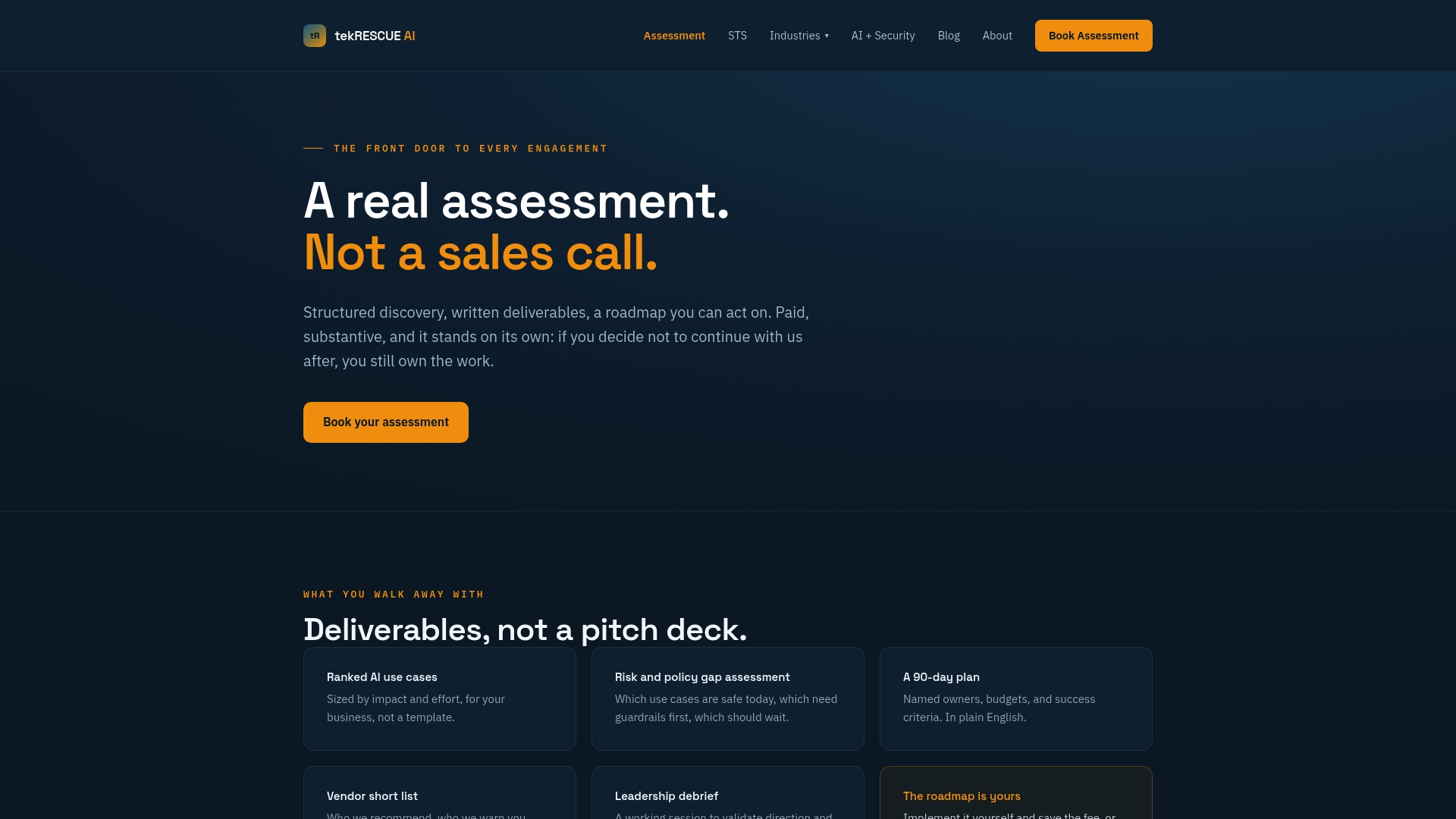
The assessment walks through your current systems, flags where data sensitivity doesn’t match your planned hosting model, and hands you a roadmap built around your real constraints instead of generic best practices. It’s a fast way to know, before you spend on hardware or contracts, whether you’re heading toward on-prem, a single-tenant VPC, or a governed hybrid setup. For teams that also want secure messaging in place around their AI systems, a HIPAA-compliant messaging alternative is worth reviewing alongside your deployment plan.
Once the roadmap is set, ongoing support is available through STS: Strategy, Training, Systems or Managed AI Security for teams that want continuous oversight after launch. Start with the AI Profit and Growth Assessment to get a clear picture of where your deployment should actually live.

Sources
These are the primary references behind the guidance above, useful for procurement teams, security reviewers, and anyone sizing infrastructure.
- Joint guidance: deploying AI systems securely, CISA
- OWASP Top 10 for LLM Applications 2026
- Survey: KV management systems for LLM serving (arXiv)
- Federal Register: Basic Safeguarding of Data Within LLMs (GSAR clauses)
FAQ
Is there any private LLM?
Yes, several open-weight models can be run entirely within your own infrastructure, including on-prem servers or a dedicated VPC, with no data leaving your environment. The right choice depends on your data sensitivity, hardware budget, and whether you need the deployment to meet specific regulatory flowdown requirements under frameworks like the GSAR clause for LLM data safeguarding.
Can I host my own LLM model?
Yes, open-weight models can be self-hosted on your own hardware or a single-tenant cloud environment, giving you full control over data residency and access. The main constraints are GPU memory for the model and its KV cache, along with the orchestration and security tooling needed to run it safely.
How do I set up a private LLM?
Start by mapping your data sensitivity to a hosting model (on-prem, single-tenant VPC, or governed hybrid), then size GPU and memory needs around your expected concurrency. From there, apply runtime security controls like least-privilege tool access and audit logging, following patterns outlined in the OWASP Top 10 for LLM Applications before going live.
Is a local LLM really private?
A local LLM keeps data from leaving your network, but privacy also depends on how you configure retrieval, logging, and access controls around it. Without proper KV cache isolation and session scoping, a local deployment can still leak data between users or sessions, so the hosting location is only part of the privacy picture.