AI currently delivers its biggest, verifiable gains in four places: cost estimation, scheduling accuracy, site safety monitoring, and progress or quality tracking. If you manage projects, those are the areas worth your attention first, and the use cases section below shows you exactly where to start and what data you need.
TL;DR:
- Cost estimation, scheduling accuracy, safety monitoring, and progress tracking are the AI areas delivering measurable benefits in construction projects.
- The most effective AI techniques combine computer vision, machine learning, NLP, and digital tools like BIM, drones, and IoT sensors, working together for greater value.
- Using AI for initial pilots should focus on clean data, small scope, and clear KPIs, with gradual expansion supported by strong governance and validation processes.
- Combining structured BIM data with real-time imagery, sensor data, and historical records is essential for reliable digital twin and AI integration.
- Rushing to full AI adoption without thorough validation and site-specific tuning often leads to ineffective results and missed opportunities for safety and efficiency.
Table of Contents
- What AI approaches are construction teams actually using?
- What benefits are construction teams actually seeing?
- Top construction AI use cases worth your attention
- How do you integrate AI with BIM and digital twins?
- How do you move from a pilot to a full rollout?
- Our take on rushing AI adoption
- How tekRESCUE AI helps you prioritize the right pilot
- FAQ
- Sources
What AI approaches are construction teams actually using?
A handful of techniques show up again and again on jobsites. Computer vision reads camera and drone footage to spot hazards, count progress, or flag missing hardhats. Machine learning finds patterns in historical cost and schedule data to improve forecasts. Natural language processing and large language models handle contracts, proposals, and safety documentation written in plain English. Generative AI drafts design options or early cost ranges from a brief or a BIM model.
None of these work alone on a jobsite. A 2025 study mapping AI techniques to construction technologies found that computer vision, machine learning, and NLP paired with BIM, drones, IoT sensors, and digital twins, producing far more value together than any single tool running in isolation.

What benefits are construction teams actually seeing?
The gains are real, but they show up unevenly depending on what you measure and how clean your data is going in.
- Estimating accuracy: generative cost models trained on structured BIM data cut the hours planners spend building early estimates.
- Schedule reliability: probabilistic scheduling tools catch slippage earlier than static CPM charts.
- Safety improvements: computer vision catches hazards that a part-time safety walk might miss.
- Productivity gains: fewer manual reconciliation tasks free up staff for higher-value work.
A nine-month mid-rise project that integrated BIM, NLP cost mapping, computer-vision progress tracking, and probabilistic scheduling into one digital twin framework reported a 43% reduction in estimating labor and a 6% reduction in project overtime. That is a meaningful drop in staff hours spent on estimating, plus fewer overtime costs eating into margin.
Top construction AI use cases worth your attention
Here are the use cases with the clearest track record, organized by what they improve.
Generative design and constructability analysis. Feed a generative AI model your BIM data and program requirements, and it can surface design options faster than a manual pass, flagging clashes or constructability issues before they hit the field. What it needs: a clean BIM model and defined constraints. Starter action: run one generative pass on a single floor or system before trusting it on a full building.
Predictive scheduling. Probabilistic CPM updating replaces a single deterministic finish date with a range, letting you see how likely you are to hit P50 or P80 targets as conditions change. Deep reinforcement learning can help level resources across trades when the schedule gets tight. Research on probabilistic CPM and DRL resource leveling backs probabilistic updates over static schedules for traceable, auditable decisions. What it needs: historical durations and a model that updates as field data comes in. Starter action: run a probabilistic forecast alongside your current CPM schedule for one phase and compare.
5D cost estimation. Generative AI can produce early cost ranges directly from BIM quantities when the model is fed consistent, structured templates. Research on generative AI cost architecture found that RICS-aligned templates and a well-structured V-model architecture produce more reliable, regulation-aligned outputs than ad hoc inputs. What it needs: standardized BIM export templates and historical cost-to-task mapping. Starter action: standardize one cost template before asking a model to generate estimates from it.
Computer vision for site safety. Hardhat detection, fall monitoring, and restricted-zone alerts run on camera or drone footage. One validation study using 7,041 site images found Faster R-CNN reached 93.1% precision for hardhat detection, versus 89.8% for YOLOv3. What it needs: consistent camera angles, labeled training footage, and a data-handling policy. Starter action: pilot hardhat detection on one high-traffic zone before expanding sitewide.
Progress tracking and quality control. Comparing drone or fixed-camera imagery against your digital twin shows what is actually built versus what the schedule says should be built, catching discrepancies early. What it needs: a current digital twin and a regular imagery capture cadence. Starter action: set a weekly capture schedule tied to your BIM model version.
Predictive maintenance. IoT sensors on major equipment and fleet vehicles feed machine learning models that flag likely failures before they cause downtime. What it needs: sensor data history and a maintenance log to train against. Starter action: instrument your highest-downtime-cost machine first.
Document automation. NLP and LLMs draft proposals, flag contract risk clauses, and check permit language against code requirements. Research on GPT applications for construction safety found that LLMs handle personalized training content and accident-report analysis reasonably well, but need fine-tuning and human review for anything requiring deep contextual judgment. What it needs: a library of past contracts and safety reports to fine-tune against. Starter action: start with proposal drafting, the lowest-risk document type, before moving to contract review.
Pro Tip: Pick one use case with clean existing data rather than the one that sounds most impressive. Clean data beats ambition every time.

How do you integrate AI with BIM and digital twins?
A reliable 4D/5D setup needs four data streams flowing into one model: your BIM geometry and quantities, a regular imagery capture schedule, equipment or IoT telemetry, and historical cost and schedule records. The 4D/5D digital-twin framework validated in a Dallas-Fort Worth case study combined exactly these inputs to keep cost, schedule, and field progress traceable against each other in one sandbox.
Template quality matters more than most teams expect. Generative cost models only perform well when BIM exports use consistent task codes and structured templates, since inconsistent naming breaks the mapping between cost text and schedule items.
Common pitfalls:
- Siloed data: cost, schedule, and field data living in separate systems with no shared ID scheme.
- Inconsistent timestamps: imagery or sensor data that is not time-synced to the BIM model version.
- Mitigation: assign a single data owner who enforces naming and timestamp standards before any model goes live.
How do you move from a pilot to a full rollout?
Treat your first AI project as a controlled experiment, not a sitewide rollout.
- Pick a pilot with clean data and a clear sponsor. Choose a use case where historical records already exist and a project executive is willing to back it for the full test window, typically a few weeks to a few months.
- Set minimum instrumentation before you start. That means a defined imagery capture spec, a regular BIM export cadence, equipment telemetry where relevant, and at least one full project cycle of historical estimates.
- Build a governance checklist. Require model validation against known outcomes, some level of explainability in how the model reached its answer, access controls on sensitive project data, and a human reviewer in the loop before any output drives a decision.
- Track specific KPIs. Estimate error rate, schedule variance against your probabilistic bounds, safety incident rate, and equipment downtime hours.
- Plan the change management piece early. Train the field team on what the tool flags and does not flag, vet any vendor’s data-handling practices, and assign clear ownership for the integration itself, not just the software license. The Dodge/CMiC research on contractor AI adoption found many contractors simply are not aware commercial tools can already automate proposal drafting and contract review, so start by checking what your current vendors already offer. A practical AI risk assessment framework can help structure this governance step before you scale past a pilot.
Pro Tip: Run your pilot’s KPIs against a control: the same project phase measured the old way. Without that comparison, you cannot tell if the AI helped.
Our take on rushing AI adoption
We have seen plenty of pitches for AI tools that promise sitewide transformation out of the box. That is usually where things go wrong. A model trained on someone else’s jobsite data will not understand your soil conditions, your crew’s habits, or your permit office’s quirks until it is tuned on your own site data, and a “black box” tool that cannot explain its own output is not something you should trust with a safety call or a six-figure estimate.
Before you bring in any AI vendor, require one thing: a clear answer on how the model was validated against real outcomes, not just a demo. Favor a measurable pilot over a broad rollout every time. You will learn more from one well-instrumented test than from a dozen vague promises.
— Randy Bryan
How tekRESCUE AI helps you prioritize the right pilot
We developed a structured AI assessment for exactly this moment: when you know AI could help but you are not sure which use case to test first or how to keep it secure. Drawing on IT and cybersecurity experience, we map your specific operations to a prioritized set of pilots, not a generic list of trends.
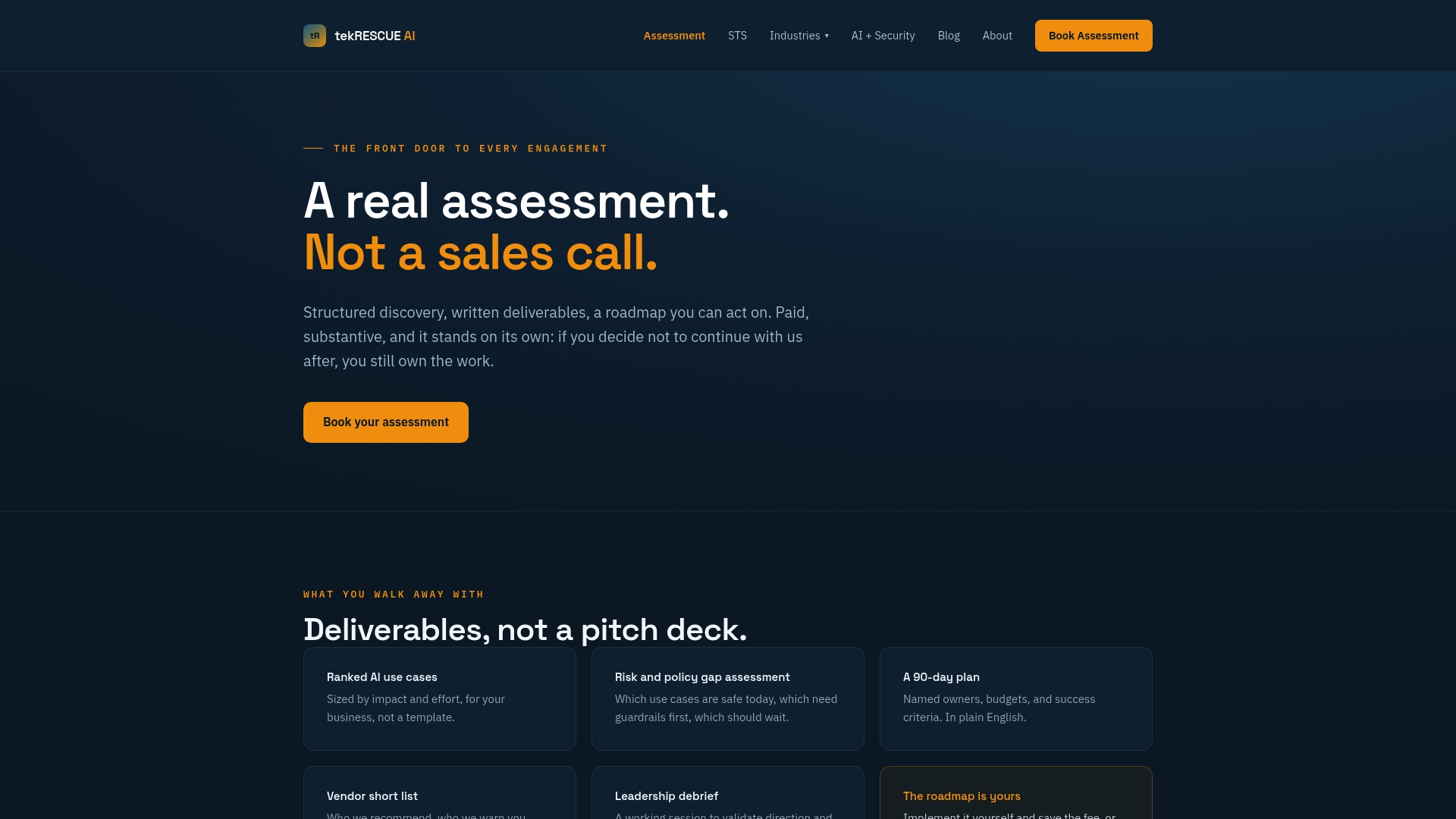
What you get from working with us:
- A roadmap that ranks use cases by your own data readiness and expected payoff.
- A governance checklist covering validation, access control, and human review before any pilot goes live.
- A clear view of where cybersecurity risk shows up in your AI plans, not just where productivity gains might appear.
If you decide you need ongoing support after the assessment, our Strategy, Training, Systems service and Managed AI Security offering pick up where the roadmap leaves off. Start with the AI Profit and Growth Assessment and get a plan built around your own jobsites, not someone else’s case study.
FAQ
What are some examples of how AI is used in construction?
Construction teams use AI for cost estimating, probabilistic scheduling, computer-vision safety monitoring, progress tracking against digital twins, predictive equipment maintenance, and document automation for proposals and contracts. A 2025 study mapped these techniques to 28 distinct project benefits when paired with BIM and digital twin technology.
What are 5 current common use cases for AI in construction?
The five most established use cases are generative design and constructability checks, predictive scheduling, 5D cost estimation, computer-vision site safety monitoring, and predictive maintenance for equipment. Document automation for contracts and proposals is close behind, especially as contractor surveys show rising interest in that area.
How can AI be used in construction safety specifically?
AI-powered computer vision monitors camera and drone footage for hardhat compliance, fall risks, and restricted-zone entry, with one validation study finding Faster R-CNN reached 93.1% precision for hardhat detection. Large language models also support safety training content and accident-report analysis, though research notes they need fine-tuning and human oversight for context-heavy decisions.
How do I start an AI pilot without an internal data science team?
Start with a narrow use case where you already have clean historical data, such as cost estimates or maintenance logs, and set clear KPIs before the pilot begins. Working with an AI partner like tekRESCUE AI through the AI Profit and Growth Assessment can help you pick the right starting point and build in governance from day one.
Sources
- Simulation-Based Validation of an Integrated 4D/5D Digital-Twin Framework for Predictive Construction Control
- Investigating the Correlation and Synergy of Artificial Intelligence Techniques and Construction Technologies
- GPT Applications for Construction Safety: A Use Case Analysis
- Framework validating UAS and deep learning for safety activity monitoring on construction sites