AI workflow automation pairs a model that can read, classify, or generate content with an orchestrator that enforces order, retries, and audit trails. It works best when a process has high volume, variable inputs, and a measurable outcome, and it fails when teams skip a process readiness check before wiring in a model. Process readiness scoring should be the first gate, not an afterthought.
TL;DR:
- High-volume, structured processes with low error rates and clear strategic impact are the best initial targets for AI workflow automation.
- Bounding AI steps with predefined schemas and confidence thresholds ensures control, with high-risk decisions requiring synchronous human approval.
- Shadow mode testing with a golden dataset is critical to detect drift and prevent costly errors before deploying workflows into production.
- Monitoring KPIs such as accuracy, escalation rate, and cost per case provides real-time signals on automation success and areas needing improvement.
- Governance measures like risk-tier mapping, least-privilege access, and detailed logging are essential for secure, compliant AI workflow management.
Table of Contents
- What Is AI Workflow Automation, and What Are Its Core Components?
- How Do You Pick the Right Workflows to Automate First?
- How Do You Design and Implement AI Steps Without Losing Control?
- Why Does Shadow Mode Matter Before Going Live?
- Which KPIs Actually Tell You the Automation Is Working?
- What Governance and Security Controls Does an AI Workflow Need?
- Which Tool Categories and Integration Patterns Should You Evaluate?
- How tekRESCUE AI Approaches Governance-First Automation
- Ten Rules I’d Follow Starting Any AI Workflow Automation Project
- Ready to Turn a Pilot Into a Production Roadmap?
- Sources
- FAQ
What Is AI Workflow Automation, and What Are Its Core Components?
AI workflow automation combines large language models, smaller machine learning models, and robotic process automation to run multi-step processes that require judgment, not just repetition. Unlike a traditional automation rule that fires the same way every time, this setup can read an invoice, decide it’s missing a purchase order number, and route it to the right approver, all without a human writing that specific rule in advance. The layered architecture that makes this reliable looks roughly the same across most enterprise implementations:
- Trigger layer: an email lands, a form gets submitted, a file drops into a folder, a webhook fires from another system.
- Ingestion layer: raw data (a PDF, a chat transcript, a scanned form) gets normalized into something a model can actually process.
- AI decision layer: a model classifies, extracts, summarizes, routes, or drafts content based on that input.
- Orchestrator: the layer that sequences steps, tracks state, and decides what happens next based on the AI output.
- Execution or RPA layer: the system that actually updates a record, sends a notification, or moves a file.
- Logging and observability layer: every decision, confidence score, and output gets recorded for review.
The critical design choice is bounding the AI step. A bounded step classifies an email or extracts three fields from a document, then hands control back to deterministic logic. Agentic execution, where a model chains its own tool calls and decides what to do next without a fixed script, fits narrow, well-monitored cases like internal research tasks. For anything touching customer data, money, or compliance, bounded steps inside a controlled orchestrator are the safer default.
How Do You Pick the Right Workflows to Automate First?
Not every process deserves AI. Some deserve a simple rule, some deserve nothing at all, and picking wrong is the fastest way to burn a pilot budget on a workflow that never should have qualified. Before touching a model, run a short process audit and score what comes out of it.
- Document the process audit basics. Identify the process owner, every system the workflow touches, its inputs and outputs, every decision point inside it, and any side effects (who gets notified, what record changes, what money moves).
- Score it on volume. A process that runs five times a month rarely justifies the engineering cost. One that runs five hundred times a month usually does.
- Score it on repetitiveness. The more standardized the inputs, the easier the AI decision layer is to build and trust.
- Score it on error rate. A process with a chronically high manual error rate is a strong candidate. AI often catches inconsistencies humans miss under time pressure.
- Score it on strategic value. A process tied directly to revenue, compliance, or customer experience deserves more governance investment, not less.
Add those four factors into a simple Process Automation Readiness Score, weight them based on your business, and set a threshold below which a workflow doesn’t get a pilot at all. Invoice intake, support ticket triage, contract clause extraction, and lead qualification consistently score high because they combine high volume with structured decision points and clear success metrics. A one-off onboarding exception process, by contrast, almost never clears the bar.
How Do You Design and Implement AI Steps Without Losing Control?
Speed kills more AI pilots than bad models do. Teams wire a model into a live workflow, skip the contract work, and get burned when an edge case produces a confident but wrong answer. Build the guardrails first.
- Define input and output schemas before any model call. Decide exactly what fields the model must return, in what format, and what a confidence score above or below a set threshold triggers.
- Set a confidence threshold that routes to a human by default. Anything under, say, 85 percent confidence on an extraction task should land in a review queue rather than move forward automatically.
- Let the orchestrator own determinism. The orchestrator, not the model, is responsible for retries, idempotency, durable state, and audit logs, so a failed step can resume without duplicating work or losing its place.
- Build human-in-the-loop checkpoints matched to risk. Low-risk steps (routing an internal ticket) can use asynchronous review, where a human checks a sample after the fact. High-risk steps (approving a refund, releasing a contract) need synchronous approval before anything executes.
- Log every decision with its inputs, outputs, and model version. If a customer disputes an outcome six weeks from now, you need to reconstruct exactly what the model saw and returned.
Operationally, the orchestrator needs to implement retries, timeouts, and idempotency so an AI step can pause mid-process, persist its state, and pick back up without breaking the sequence. This separation between “the model suggests” and “the workflow executes” is what keeps an AI decision layer from becoming an unaccountable black box.
Why Does Shadow Mode Matter Before Going Live?
Skipping a real testing phase is the single most common reason a working prototype turns into a production incident. A three-phase approach catches problems while they’re still cheap to fix.
Start with unit tests on the AI decision layer alone, feeding it a range of inputs, including deliberately messy ones, and checking outputs against expected results. Move to integration tests that confirm the orchestrator, connectors, and execution layer talk to each other correctly under normal and failure conditions. Then run the entire workflow in shadow mode, in parallel with the existing manual process, for long enough to see real variation, not just a clean demo day.
-
Build a golden dataset of representative cases, including edge cases and past errors, and re-run it every time you change the model, prompt, or workflow logic.
-
Treat any divergence between shadow-mode output and the human-approved outcome as a bug to investigate, not noise to ignore.
-
Keep a kill switch and feature flags ready so you can pull a workflow out of production instantly if something drifts.
-
Monitor cost and latency during shadow mode, since a model that’s accurate but slow or expensive can still sink a business case.
Shadow mode running in parallel with the manual process for several days is close to non-negotiable for any workflow touching customers or financial data. Skipping it to hit a launch date is how a five percent error rate becomes a public incident.
Pro Tip: Run your golden dataset through the workflow every time you touch the prompt, the model version, or the schema, not just before the initial launch. Small changes drift outputs in ways that only show up on the edge cases you already know are tricky.
Which KPIs Actually Tell You the Automation Is Working?
Cycle time and cost per case are the two numbers executives ask about first, but they mean nothing without the accuracy and escalation numbers sitting right next to them.
- Cycle time: how long a case takes from trigger to resolution, compared against the pre-automation baseline.
- Manual effort: hours of human work required per case, before and after.
- Accuracy or error rate: how often the AI decision layer gets it right, measured against the golden dataset and against real-world outcomes.
- Cost per case: total compute, licensing, and human review cost divided by cases processed.
- Escalation rate: the percentage of cases that get kicked to a human, and whether that rate is trending down as the model improves.
- Business outcome: the metric leadership actually cares about, whether that’s faster invoice approval, fewer support tickets reopened, or shorter lead response time.
Observability means being able to correlate a specific output with the exact prompt, model version, and input that produced it, so a spike in errors or spend traces back to a cause instead of a mystery. Review these metrics weekly during the first month after launch, then move to a monthly cadence once the workflow stabilizes. Set alerting triggers on sudden jumps in escalation rate or cost per case, as those two numbers move first when something upstream has changed.
What Governance and Security Controls Does an AI Workflow Need?
Every workflow should carry a risk tier, and that tier should determine exactly how much oversight it gets, not a blanket policy applied evenly across processes that carry wildly different stakes.
- Map each workflow to a risk tier (low, medium, high) based on financial impact, customer exposure, and regulatory sensitivity, and attach specific approval rules to each tier.
- Apply least-privilege access to every tool call. A model that can draft an email should not automatically have permission to send one, and authorization for sensitive actions belongs on the server side, never inside a prompt.
- Version every workflow change. Keep a release log of every model, prompt, and schema update so you can trace when behavior shifted.
- Run rollback drills before you need them. Practice reverting to the prior version of a workflow the same way you’d practice a database restore.
- Document the whole thing. A workflow without a written owner, risk tier, and change log is a workflow nobody can audit six months from now.
Senior leadership involvement in shaping AI governance correlates with successful scaling, largely because governance decisions made at the workflow level (who approves what, who owns which risk tier) need organizational weight behind them to actually stick.
Which Tool Categories and Integration Patterns Should You Evaluate?
Four platform categories cover most needs, and picking the wrong one for your risk tolerance causes more rework than picking the wrong specific product.
- No-code and low-code platforms get a pilot running fast but often limit how deeply you can customize error handling and audit logging.
- Orchestration platforms give you fuller control over retries, state, and branching logic at the cost of more setup time.
- RPA execution layers handle the deterministic “click here, update this field” work once the AI decision layer has made its call.
- Model-hosting and MLOps tooling manages versioning, monitoring, and scaling of the models themselves.
The core tradeoff is speed versus control: a hosted model reachable through an API gets you moving in days, while a self-hosted or fine-tuned model gives more control over data residency and cost at scale. Integration usually happens through API connectors, event-driven triggers, or unified knowledge connectors that let a model search across multiple internal systems at once. Vendor documentation across the space (see n8n’s platform overview as one example) consistently frames connectors and observability as baseline requirements, not premium add-ons, regardless of which category you choose.
How tekRESCUE AI Approaches Governance-First Automation
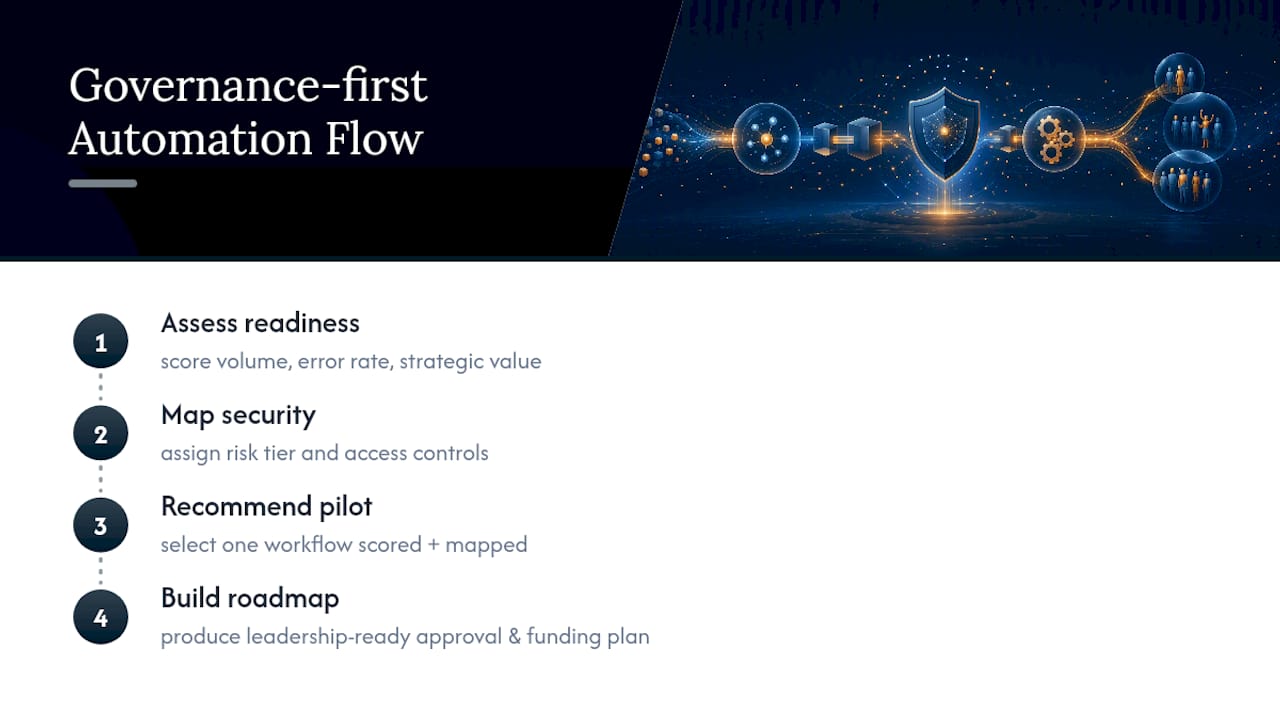
The AI Profit and Growth Assessment is built around the Process Automation Readiness Score outlined above, scoring an organization’s candidate workflows for volume, error rate, and strategic value before recommending a single pilot. The approach also maps every recommended workflow against risk tier and access control requirements at the same time it gets scored for automation potential. That combination, readiness scoring plus security mapping in one pass, helps turn a promising pilot into a roadmap a leadership team can approve and fund.
Ten Rules I’d Follow Starting Any AI Workflow Automation Project
- Assign an owner. No owner means no accountability when something breaks.
- Start with one workflow. Breadth kills more pilots than depth ever will.
- Run shadow mode first. Confidence without evidence is a guess.
- Build the golden dataset early. You can’t measure drift you never baselined.
- Set approval rules by risk tier. Not every workflow deserves the same scrutiny.
- Log everything. An unauditable decision is a liability waiting to surface.
- Keep a rollback plan ready. Hope is not a rollback strategy.
- Enforce least-privilege access. A model should never hold more permission than the task needs.
- Test on a fixed cadence. Drift is silent until it isn’t.
- Track business outcomes, not vanity metrics. Cycle time means nothing if quality drops.
— Randy Bryan
Ready to Turn a Pilot Into a Production Roadmap?
Most AI consultants hand you a slide deck of use cases and leave the security work for later. tekRESCUE builds the risk mapping into the same engagement as the automation roadmap, so you get a prioritized pilot list and a plan for the vulnerabilities that pilot list creates, in one deliverable instead of two separate bills.
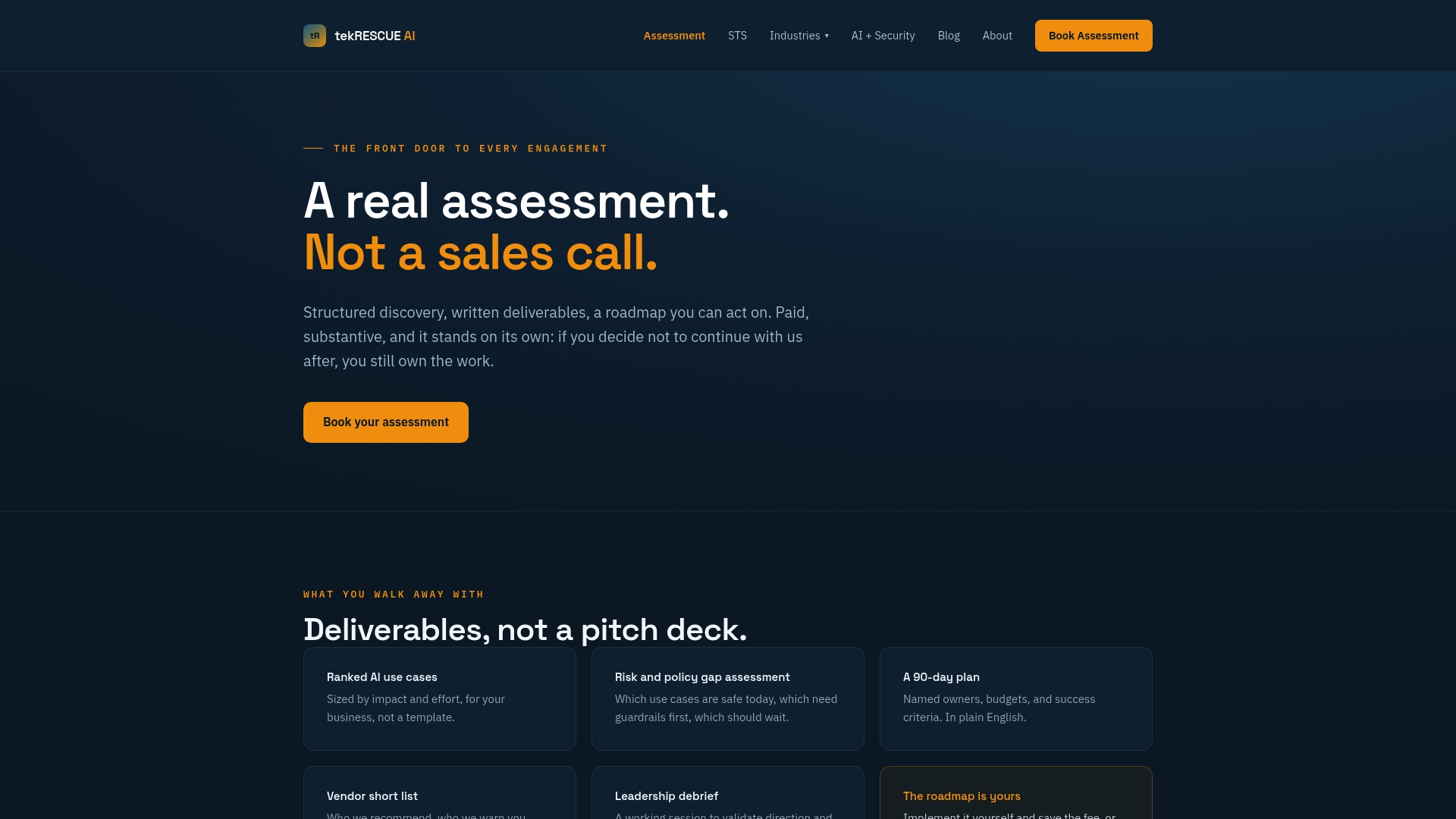
The AI Profit and Growth Assessment starts with the same process audit and readiness scoring covered in this guide: your workflows get scored, ranked, and mapped against risk tier before anything gets built. From there, tekRESCUE’s STS: Strategy, Training, Systems offering carries a prioritized pilot into staffed delivery, team training, and system builds, while Managed AI Security keeps the workflow governed as it scales past the first pilot. If your team is ready to stop guessing which workflow to automate first, book the AI Profit and Growth Assessment and get a roadmap built around your actual process data instead of a generic use-case list.
Sources
For architecture fundamentals, AWS’s overview of AI automation is a solid start. For governance patterns and rollout controls, ThinkBot’s governance-first automation playbook and Deloitte’s enterprise AI research cover leadership and workforce readiness in depth. For testing sequences, see AliceLabs’s rollout guide.
- What is AI Automation? — AWS
- The State of AI in the Enterprise — Deloitte US
- AI Workflow Automation for Enterprises: 2026 Guide
FAQ
What Is the Best AI Workflow Automation Tool?
There’s no single best tool. The right pick depends on whether you need speed (no-code platforms), deep control over orchestration logic (dedicated orchestration platforms), or governed execution across risk tiers, which is why workflows and risk should be scored before recommending any specific platform.
How Do You Automate Processes Using AI?
Map the process, score it for volume, repetitiveness, error rate, and strategic value, then build an AI decision layer bounded by clear input and output schemas. Test it in shadow mode against a golden dataset before letting it touch production data.
How Do You Use AI in Your Workflow Without Losing Control?
Keep the AI step bounded to a specific task like classification or extraction, and let a separate orchestrator handle retries, state, and audit logging. Route low-confidence outputs to a human reviewer rather than letting the model act on uncertain results.
What Does an AI Profit and Growth Assessment Cost?
Pricing for the AI Profit and Growth Assessment is available directly through tekRESCUE, since it’s scoped to each organization’s workflows and risk profile rather than sold at a flat rate.
What Is Intelligent Document Processing, and How Does It Fit In?
Intelligent document processing uses an AI decision layer to classify and extract fields from unstructured documents like invoices or contracts, then hands that structured output to an orchestrator for routing. It’s one of the highest-scoring candidate workflows for automation because of its high volume and clear success metrics.