Extend your incident response program now: inventory high-risk AI assets, turn on prompt and model telemetry, and stage AI-specific playbooks before you need them. Classic IR was not built for probabilistic outputs or autonomous agents, so bolting AI onto old runbooks leaves gaps. The frameworks worth anchoring to are the NIST AI RMF, CoSAI’s incident response guidance, and OWASP’s GenAI recommendations.
TL;DR:
- Building an accurate inventory of all AI systems and features, including third-party APIs, is essential for effective containment and response planning.
- Detecting AI incidents relies on telemetry such as prompt logs, output comparisons over time, and unusual tool or API call patterns.
- Containment actions should prioritize revoking context and killing sessions before disabling tools or rolling back models to preserve evidence.
- Forensics require capturing exact artifacts like prompts, model versions, and tool traces, with long-term, immutable storage aligned to regulatory needs.
- Regular tabletop and red-team drills focusing on AI-specific scenarios help identify response gaps and improve detection speed.
Table of Contents
- Why Ai Incident Response Needs a Different Lifecycle
- Preparation: Inventories, Roles, and AI Playbooks to Build Now
- What Detection Signals Matter for AI Incidents?
- Which Containment Steps Stop AI Incidents Fastest?
- Eradication and Recovery: Cleaning Up and Redeploying Safely
- How Do You Turn AI Incidents Into Lasting Fixes?
- Runbook Skeletons You Can Adapt This Week
- Forensics and Logging: What You Need to Preserve
- What Exercises Actually Test AI Incident Readiness?
- Where Should Security Teams Actually Focus First?
- Get an Outside Read on Your AI Risk Exposure
- Sources
- FAQ
Why Ai Incident Response Needs a Different Lifecycle
Traditional incident response assumes deterministic software: the same input produces the same output, and root cause usually traces to a patch, a misconfiguration, or a compromised credential. AI systems break that assumption. A large language model can produce a different answer to the identical prompt twice, an autonomous agent can chain actions no human explicitly authorized, and a poisoned training set can corrupt behavior weeks before anyone notices. That is why the NIST AI RMF and CoSAI’s AI Incident Response Framework both argue for adapting, not replacing, the standard IR lifecycle.
The adapted lifecycle still runs through five phases, but each one picks up AI-specific work:
- Preparation: build an AI asset inventory, define roles, draft playbooks for model-specific failure modes.
- Detection and analysis: collect prompt and output telemetry, watch for drift and anomalous tool calls, triage by exposure and regulatory impact.
- Containment: revoke context, kill agent sessions, disable connectors, roll back model versions.
- Eradication and recovery: clean poisoned vectors, retrain or roll back, validate with canary deployments before full redeploy.
- Post-incident: run blameless reviews, update playbooks and risk registers, decide what to disclose externally.
Getting the first phase right determines how fast the rest move. Teams that skip inventory and role definition end up improvising containment decisions mid-incident, which is exactly when mistakes compound.
Preparation: Inventories, Roles, and AI Playbooks to Build Now
The NIST AI RMF Playbook treats an accurate AI system inventory as a baseline control, not an afterthought. You cannot contain what you have not cataloged, and most organizations underestimate how many AI features are already live across their product surface.
Build preparation in this order:
- Inventory every AI system and feature, including third-party APIs and embedded model calls, and tag each by data sensitivity and decision authority (can it take actions, or only suggest them?).
- Assign AI-IR roles distinct from general security roles: someone owns model behavior decisions, someone owns data governance, and someone holds human-in-the-loop authority to pause an agent or model in production.
- Draft minimum playbooks for the failure modes you are most likely to hit: LLM compromise via prompt injection, data leakage from a retrieval-augmented generation (RAG) pipeline, model poisoning through corrupted training or fine-tuning data, and excessive agency where an autonomous agent takes unauthorized actions.
- Negotiate vendor and contractual controls up front: incident notification timelines, access to logs during an investigation, and the ability to roll back or disable a model version on short notice.
Pro Tip: Write your first playbook for whichever AI system has the most write access to production data or customer-facing outputs. That is where a bad incident does the most damage the fastest.
What Detection Signals Matter for AI Incidents?
You cannot detect what you do not log. The essential telemetry set includes prompt logs, the system prompt in effect at the time, raw model outputs, tool and function-call records, embedding or vector-store changes, and API and endpoint metadata tying a request to a user or session. Microsoft’s guidance on responding to incidents in AI systems points specifically to probabilistic behavior and novel harm categories as reasons standard application logging falls short here.
Detection rules should watch for:
- Output drift compared to a known-good baseline over a rolling window.
- Sudden spikes in request rate from a single session or API key.
- Repeated variations on the same jailbreak or prompt-injection pattern.
- Tool or function calls outside the agent’s normal behavioral envelope.
- Unexpected embedding or vector-store writes outside scheduled ingestion.
Triage each alert against four questions: how severe is the potential harm, how exposed is sensitive data, how actionable is the output downstream (did a human or another system act on it), and does it trigger a regulatory notification clock. Route confirmed AI alerts into your existing SIEM and SOAR pipelines rather than running a parallel system. AI telemetry should feed the same triage queue your SOC already works from, tagged so analysts know which playbook applies.
Which Containment Steps Stop AI Incidents Fastest?
Containment for AI incidents splits into immediate and medium-term actions, and the order matters because some steps destroy evidence you will need later.
- Revoke context and kill sessions first. Cut off the compromised conversation, memory, or agent session before it can take another action. This is often faster and less disruptive than shutting down the whole model.
- Disable connectors and rate-limit the feature. If an agent has access to email, code repositories, or payment systems, cut that connector before you do anything else.
- Snapshot logs and state before you remediate. Preserve prompt history, session data, and vector-store state ahead of any cleanup, since remediation actions can overwrite the evidence you need for root-cause analysis.
- Escalate to medium-term controls if the immediate steps don’t hold: gate the risky feature behind manual approval, roll back to a prior model version, or tighten the permissions an agent operates under.
Architectural controls like default-deny permissions and human-in-the-loop checkpoints for irreversible actions tend to outperform input filtering alone, since filtering only catches the attack patterns you already anticipated — these are key architectural safeguards and data isolation features that help limit the impact of compromised AI systems. Loop in legal, privacy, and product owners the moment you suspect data exposure or a customer-facing failure. Waiting until containment is finished to notify them almost always narrows your options later.
Eradication and Recovery: Cleaning Up and Redeploying Safely
Root cause work starts with data lineage: trace what training or fine-tuning data touched the model, verify model provenance against your build records, and review the training pipeline for unauthorized changes. Skipping this step means you might redeploy the exact vulnerability you just contained.
Remediation typically involves several parallel tracks:
- Purge poisoned or malicious entries from vector stores and rebuild affected indexes.
- Rotate any credentials or API keys the compromised session had access to.
- Retrain on clean data or roll back to a verified prior model version, whichever is faster and safer for your risk tolerance.
- Re-run OWASP’s recommended remediation checklist for LLM compromises, which covers context revocation, session termination, and cache cleanup as standard steps.
Before redeploying, run safety tests against known attack patterns, push the fix through a canary deployment to a limited user segment, and validate outputs against expected behavior for at least a full business cycle. Document every step, from initial detection through final validation, because that record becomes both your compliance evidence and your best training material for the next incident.
How Do You Turn AI Incidents Into Lasting Fixes?
A blameless post-mortem for an AI incident needs one thing traditional post-mortems often lack: a reconstructed timeline built from prompt logs, model version metadata, and agent session history, since the incident may not map cleanly to a single code change.
Run every AI incident through this checklist:
- Reconstruct the timeline from raw artifacts, not memory or summary logs.
- Identify what detection signal worked, what didn’t, and how long triage took.
- Update the relevant playbook with anything that surprised the responding team.
- Add the failure mode to your AI risk register if it wasn’t already tracked.
- Feed findings into red-team testing so the same gap gets probed again on purpose.
CoSAI and NIST both stress that not every AI risk is eliminable. Successful response depends on prioritizing high-risk contexts and preserving evidence well enough to recover fast, not on chasing zero incidents.
Pro Tip: Share anonymized incident details externally, through an ISAC or industry group, once legal has cleared it. AI attack patterns move fast across the industry, and your near-miss might be someone else’s active incident.
Runbook Skeletons You Can Adapt This Week

Every AI runbook should follow the same skeleton: trigger condition, initial triage steps, containment actions, evidence collection, escalation path, and recovery verification. Keeping the format consistent across runbooks means an on-call analyst can execute one they’ve never seen before under pressure.
Here’s a working example for an LLM compromise:
- Trigger: Confirmed prompt injection, jailbreak pattern, or unauthorized output detected in production.
- Initial triage: Confirm scope (single session or systemic), check for downstream actions already taken based on the compromised output.
- Containment: Revoke context, kill the active session, disable any connected tools or integrations.
- Evidence collection: Snapshot prompt logs, system prompt, model version, and session metadata before any cleanup begins.
- Escalation: Notify legal if customer data may be exposed, notify the model vendor if the vulnerability sits in their infrastructure.
- Recovery verification: Confirm the injection vector is closed, run safety tests, and clear the feature for full traffic.
Store runbooks somewhere your SOC can pull them up instantly during an incident, version them alongside your other IR documentation, and review each one quarterly.
Forensics and Logging: What You Need to Preserve
Model outputs vary run to run, which means investigators cannot simply rerun a prompt and expect to reproduce what happened. Reconstructing an AI incident depends on capturing the exact artifacts in place at the time: the raw prompt, the system prompt, the model response, the model version and configuration, embedding or vector-store snapshots, and full tool execution traces.
Retention policy matters as much as collection. Keep AI incident artifacts long enough to satisfy your regulatory notification windows and any litigation hold requirements, and maintain chain-of-custody documentation the same way you would for any other digital evidence:
- Timestamp every artifact at capture, not at review.
- Store logs immutably, separate from the production systems that generated them.
- Tag artifacts by incident ID so a timeline can be rebuilt without cross-referencing five different systems.
What Exercises Actually Test AI Incident Readiness?
Tabletop exercises built around AI-specific scenarios expose gaps that generic security drills miss entirely. Run these on a regular cadence:
- Tabletop exercises quarterly, walking a fictional LLM compromise or data leakage scenario through your full response chain.
- Red-team prompt exercises to actively test jailbreak resistance and prompt-injection defenses against your production systems.
- RAG exfiltration drills that simulate an attacker trying to extract sensitive data through retrieval queries.
- Agent blast-radius simulations that test what happens if an autonomous agent’s permissions are fully exploited.
Track time-to-detect, time-to-contain, and false-positive rates across each exercise, and feed every finding back into your playbooks and CI/CD pipeline before the next drill.
Where Should Security Teams Actually Focus First?
Most teams I see reviewing AI risk have no prompt logs, no defined ownership for model behavior decisions, and vendor-default configurations left untouched since deployment. That’s the real starting gap, not a lack of sophisticated tooling.
Start small: build the inventory, turn on basic logging, and write one playbook for your highest-risk system. Iterating from there beats waiting for a perfect program that never ships.
— Randy Bryan
Get an Outside Read on Your AI Risk Exposure
Building an AI-specific incident response program from scratch takes time most security teams don’t have alongside their regular workload. tekRESCUE AI’s AI Profit and Growth Assessment gives you a faster starting point than building the inventory, risk map, and playbook priorities in-house from zero.
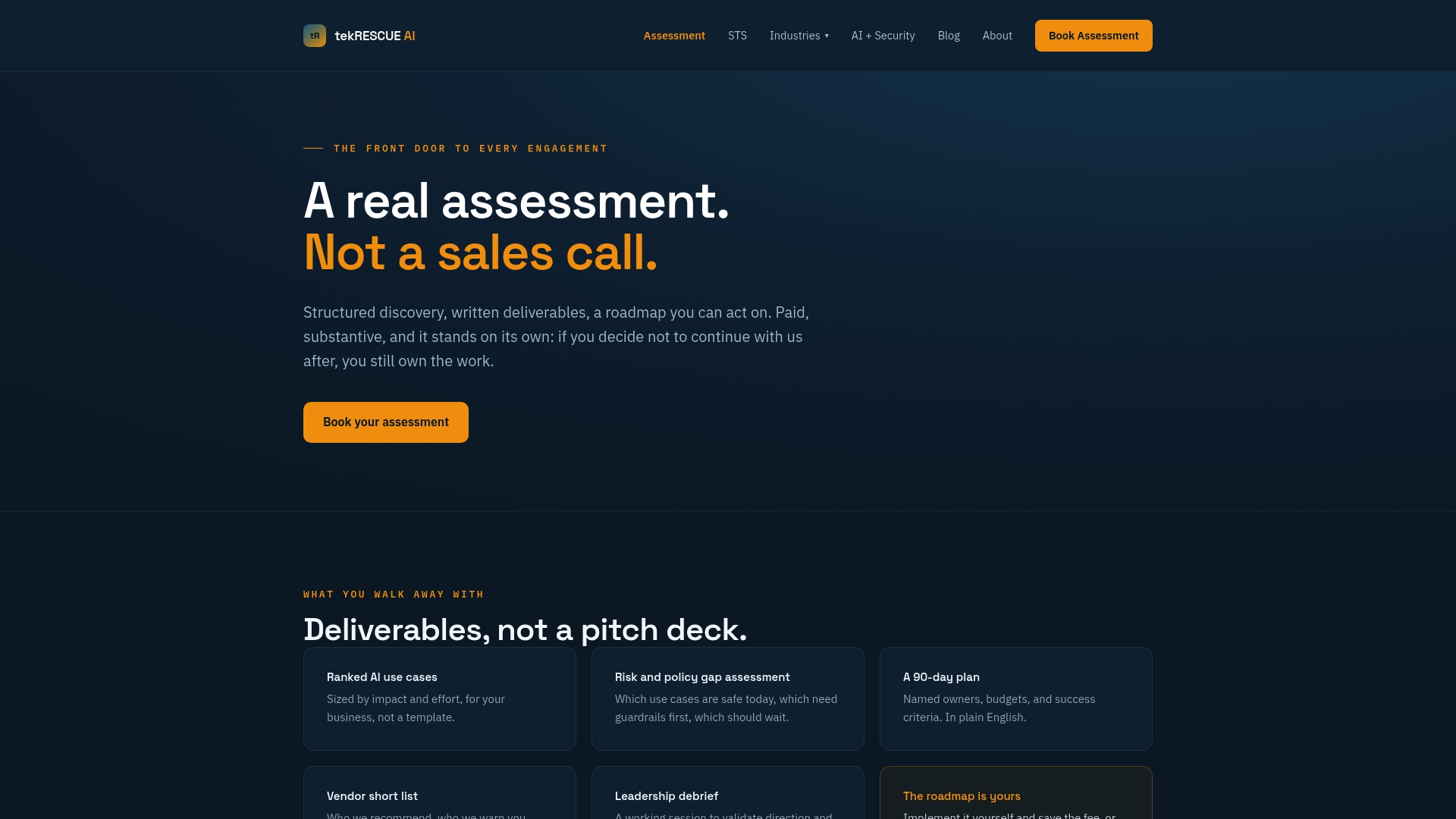
The assessment maps your existing AI systems, flags the highest-risk contexts first, such as agents with write access or customer-facing generative features, and hands your team a prioritized roadmap that plugs directly into the preparation phase covered above. Instead of guessing which playbook to write first, you get a sequenced plan your SOC and engineers can execute against immediately. AI partners work across construction, professional services, nonprofits, real estate, and other sectors adopting AI while trying to stay ahead of the risk it introduces. If your AI footprint has grown faster than your incident response program, book an assessment and get a clear picture of where you actually stand.
Sources
- Artificial Intelligence Risk Management Framework (AI RMF 1.0) | NIST
- AI RMF Playbook
- Defending AI Systems: A New Framework for Incident Response
- OWASP GenAI project guidance
- Respond to incidents in AI systems
FAQ
What Makes AI Incident Response Different From Standard IR?
AI incidents involve probabilistic outputs, autonomous agent behavior, and model artifacts that don’t map to traditional patch-and-restore fixes, so response requires AI-specific telemetry, roles, and playbooks layered onto existing IR processes.
What Should Go in an AI System Inventory?
Every AI feature and API in production, tagged by data sensitivity and whether it can take autonomous actions or only generate suggestions, per the NIST AI RMF Playbook.
How Do You Contain a Compromised LLM Session?
Revoke context and kill the active session first, then disable any connected tools, following OWASP’s recommended remediation steps for LLM compromise.
What Forensic Artifacts Matter Most for AI Incidents?
Raw prompts, system prompts, model responses, model version metadata, and tool execution traces, since model outputs vary run to run and can’t simply be reproduced later.
How Often Should Teams Run AI-Specific Incident Drills?
Quarterly tabletop exercises paired with periodic red-team prompt tests and agent blast-radius simulations give teams a realistic read on detection and containment speed.
Can tekRESCUE AI Help Build an AI Incident Response Program?
Yes. The AI Profit and Growth Assessment maps existing AI systems, prioritizes high-risk contexts, and delivers a roadmap that feeds directly into the preparation phase of an incident response program.